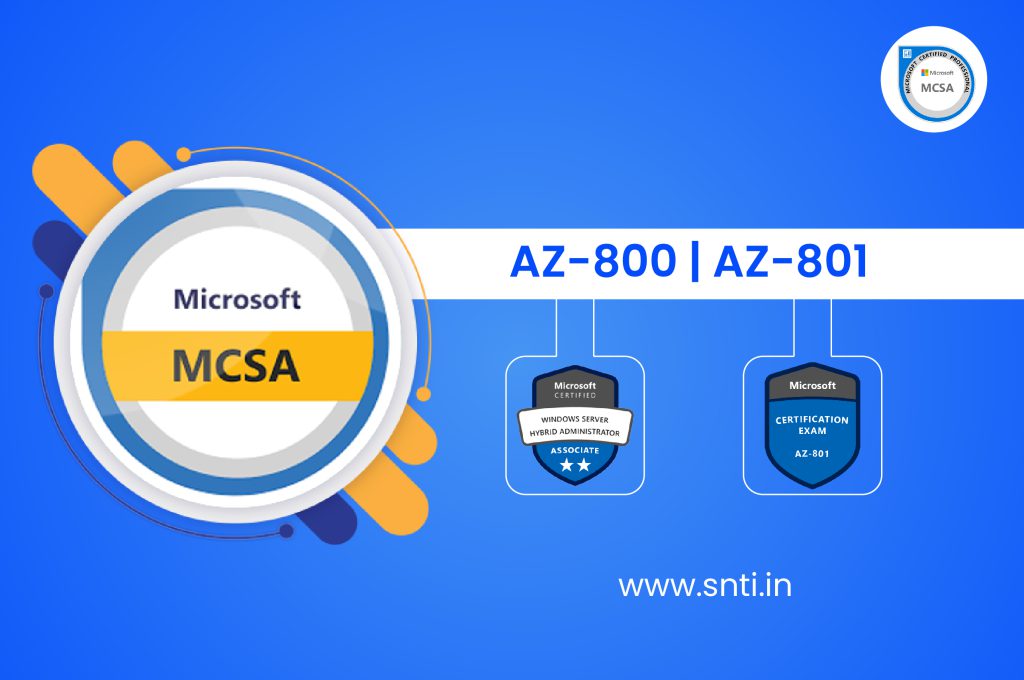
Microsoft Certified Solution Associate – MCSA Windows 2022 Server
What you'll learn?
- Demonstrate competency in enterprise security.
- Communications, and business discipline.
- Research and analysis and integration of computing.
- Risk management.
- Demonstrate proven knowledge of security concepts.
Description
Upgrade your IT skills with SNTI’s Best MCSA 2022 Training in Pune with Placement Support, designed to equip professionals and beginners with Windows Server 2022 administration expertise. This advanced course covers Windows Server 2022 Installation & Configuration, Active Directory Domain Services (AD DS), Enhanced DNS & DHCP Setup, Group Policy Management, Hyper-V Virtualization, Secure Storage Solutions, and Hybrid Cloud Integration with Azure. Gain hands-on expertise in managing modern Windows Server environments with the latest security and automation tools. At SNTI, our MCSA 2022 training focuses on Windows Admin Center, PowerShell for Automation, Secured Remote Desktop Services (RDS), Azure Hybrid Services, and Identity & Access Management (IAM). With a strong emphasis on cybersecurity, performance optimization, and cloud-based administration, this course ensures you stay ahead in the IT industry. With affordable fees, flexible learning options, and 100% placement support, SNTI’s MCSA 2022 certification training prepares you for top IT roles, including System Administrator, Cloud Engineer, and Network Security Specialist. Learn from industry experts and gain job-ready skills in Windows Server 2022. Enroll now with SNTI and become an MCSA 2022 certified professional!.
Ideal Candidates for This Course:
- IT Freshers or Professionals having knowledge of Basic Networking.
- Database Administration.
- System Administration.
- Email Server Management.
Curriculum
AZ-800: Administering Windows Server Hybrid Core Infrastructure
Module 1: Identity services in Windows Server
- Introduction to AD DS.
- Manage AD DS domain controllers and FSMO roles.
- Implement Group Policy Objects.
- Manage advanced features of AD DS.
Module 2: Implementing identity in hybrid scenarios
- Implement hybrid identity with Windows Server.
- Deploy and manage Azure IaaS Active Directory domain controllers in Azure.
Module 3: Windows Server administration
- Perform Windows Server secure administration.
- Describe Windows Server administration tools.
- Perform post-installation configuration of Windows Server.
- Just Enough Administration in Windows Server.
- Perform Windows Server secure administration.
- Describe Windows Server administration tools.
- Perform post-installation configuration of Windows Server.
- Just Enough Administration in Windows Server.
Module 4: Facilitating hybrid management
- Administer and manage Windows Server IaaS virtual machines remotely.
- Manage hybrid workloads with Azure Arc.
Administer and manage Windows Server IaaS virtual machines remotely.
- Manage hybrid workloads with Azure Arc.
Module 5: Hyper-V virtualization in Windows Server
- Configure and manage Hyper-V.
- Configure and manage Hyper-V virtual machines.
- Secure Hyper-V workloads.
- Run containers on Windows Server.
- Orchestrate containers on Windows Server using Kubernetes.
Module 6: Deploying and configuring Azure VMs
- Plan and deploy Windows Server IaaS virtual machines.
- Customize Windows Server IaaS virtual machine images.
- Automate the configuration of Windows Server IaaS virtual machines.
Module 7: Network infrastructure services in Windows Server
- Deploy and manage DHCP.
- Implement Windows Server DNS.
- Implement IP address management.
- Implement remote access.
Module 8: Implementing hybrid networking infrastructure
- Implement hybrid network infrastructure.
- Implement DNS for Windows Server IaaS VMs.
- Implement Windows Server IaaS VM IP addressing and routing.
Module 9: File servers and storage management in Windows Server
- Manage Windows Server file servers.
- Implement Storage Spaces and Storage Spaces Direct.
- Implement Windows Server Data Deduplication.
- Implement Windows Server iSCSI.
- Implement Windows Server Storage Replica.
Module 10: Implementing a hybrid file server infrastructure
- Overview of Azure file services.
- Implementing Azure File Sync.
AZ-801: Configuring Windows Server Hybrid Advanced Services
Module 1: Secure Windows Server on-premises and hybrid infrastructures
- Implement Windows Server IaaS VM network security.
- Implement network security groups and Windows IaaS VMs.
- Implement adaptive network hardening.
- Implement Azure, Windows Firewall and Windows IaaS VMs.
- Audit the security of Windows Server IaaS Virtual Machines.
- Manage Azure updates.
- Create and implement application allowlists with adaptive application control.
- Configure BitLocker disk encryption for Windows IaaS Virtual Machines.
- Implement change tracking and file integrity monitoring for Windows IaaS VMs.
Module 2: Updating Security
- Secure Windows Server DNS.
- Secure Windows Server user accounts.
- Hardening Windows Server.
- Windows Server update management.
Module 3: Implement Windows Server high availability
- Introduction to Cluster Shared Volumes.
- Determine the functionality of Cluster Shared Volumes.
- Implement Windows Server failover clustering.
- Define, Plan, Implement, Manage Windows Server failover clustering.
- Implement scale and high availability with Windows Server VM.
Module 4: Implement disaster recovery in Windows Server on-premises and hybrid environments
- Implement Hyper-V Replica.
- Implement hybrid backup and recovery with Windows Server IaaS.
- Protect your on-premises infrastructure from disasters with Azure Site Recovery.
- Protect your Azure infrastructure with Azure Site Recovery.
- Protect your virtual machines by using Azure Backup.
Module 5: Migrate servers and workloads in on-premises and hybrid environments
- Migrate on-premises Windows Server instances to Azure IaaS virtual machines.
- Plan, Describe, Perform assessment on Migrated server.
- Upgrade and migrate Windows Server IaaS virtual machines.
- Active Directory Domain Services migration.
- Migrate file server workloads using Storage Migration Service.
- Migrate Windows Server roles.
- Containerize and migrate ASP.NET applications to Azure App Service.
Module 6: Monitor Windows Server environments
- Monitor Windows Server IaaS Virtual Machines and hybrid instances.
- Monitor the health of your Azure virtual machine by using Azure Metrics Explorer and metric alerts.
- Monitor performance of virtual machines by using Azure Monitor VM Insights.
- Monitor Windows Server performance.
- Manage and monitor Windows Server event logs.
Module 7: Troubleshoot Windows Server environments
- Implement Windows Server auditing and diagnostics.
- Troubleshoot on-premises and hybrid networking.
- Troubleshoot Windows Server Virtual Machines in Azure.
- Troubleshoot Active Directory.
Course Features
- Duration: 120 hours
- Training Type: Classroom & Online
- Students Enrolled: 2000+
- Certificate: Yes
- Batch Available: Mon-Sun
- 100% Placement Support: Yes



Salary Scale
Job Role
- It is a long established fact that a reader will
- It is a long established fact that a reader will
- It is a long established fact that a reader will
- It is a long established fact that a reader will
- It is a long established fact that a reader will
- It is a long established fact that a reader will
- It is a long established fact that a reader will
- It is a long established fact that a reader will
- It is a long established fact that a reader will
- It is a long established fact that a reader will
- It is a long established fact that a reader will
Training Option
- Live-Online Instructor Led Training
- 100+ lab assignments & Quizzes
- 24/7 Lab access on Rooman Cloud Lab
- Labs Designed & Mentorship support by Industry Experts
- 5 capstone projects
- Live-Online sessions with Industry Experts & Subject Matter Expert from Rooman
- Access to Recorded Session of Live-Online Classes available 24/7
- Industry Recognized Course Completion Certificate
- Interview Preparation & Placement Support


- In-Person Classroom based Training conducted by Subject Matter Expert
- Flexibility to attend classes at any of our 50+ Centers PAN India
- Hands-on experience at our state-of-the-art Lab
- 100+ lab assignments & Quizzes
- 24/7 Lab access on Rooman Cloud Lab
- Labs Designed & Mentorship support by Industry Experts
- 5 Capstone & 1 real-world project
- Exclusive sessions with Industry & Subject Matter Expert
- Access to Recorded Session of Live-Online Classes available 24/7
- Industry Recognized Course Completion Certificate
- Interview Preparation & Placement Support
- Access to Campus Placement drives
- 1 year access to our LMS
Our Alumni
Exam Partner






FAQ
Item #1
Lorem ipsum dolor sit amet, consectetur adipiscing elit. Ut elit tellus, luctus nec ullamcorper mattis, pulvinar dapibus leo.